Manual
Introduction
The pixel+ viewer is a WebGL based web viewer of single-camera multi-light files. The surface of objects that are scanned with this technology can be carefully examined by changing the virtual illumination or the visual style.
How to view an SCML file in this viewer
The pixel+ viewer supports 2 ways of opening files. Users can open files stored locally on their pc (using the File API) and files hosted on a webserver (using the XMLHttpRequest).
Content providers like musea and libraries will typically use the latter option to help disseminating their catalogue. The of opening files can be achieved by clicking on a link which has the following format: http://www.heritage-visualisation.org/viewer/?ds=http://museum.org/pathToFile.zun.
Required steps:
SCML files
SCML files are placed on an http server.
Direct Hyperlinks
Links following the above format are included in the online catalog in the info that is displayed about the object. The query string starts with a ? followed by one or more parameters. ds=http://museum.org/pathToFile.zun passes along the url where the dataset is placed. Currently, other options include type=[ptm/rti/zun/cun/scml], which is mandatory when the dataset url doesn’t end with a file extension. Finally, several viewing options can be passed along to the web viewer. zrotation=180 can be passed along to rotate objects when opening, as some might have been recorded and processed upside down or under 90 degrees.
These viewing options can also be encapsulated directly into the SCML file, during conversion. This keeps this information in the file, whereas otherwise it would be in the URL to the file, and thus harder to keep this information together. As such, we recommend to use the query string method to pass along viewing settings only for legacy formats, which don’t support storing viewing settings.
Enabling CORS
On the server that hosts these files, Cross-Origin Resource Sharing (CORS) has to be enabled. How this should be done, depends on the type of fileserver. The following lines were added for an Apache server (on MAMP):
<Directory "/Applications/MAMP/htdocs">
 Options All
 AllowOverride All
 Order allow,deny
 Allow from all
 XSendFilePath "/Applications/MAMP/htdocs"

 # This enables CORS for www.heritage-visualisation.org
 Header set Access-Control-Allow-Origin "http://www.heritage-visualisation.org"
 Header set Access-Control-Allow-Credentials "true"
</Directory>
Note that when configured in this way, only requests made by heritage-visualisation.org will be given acces to the files. When CORS is not enabled, the file cannot be loaded and an error ‘Cross-Origin Request Blocked: The Same Origin Policy disallows reading the remote resource.’ is displayed.
Optional but recommended settings
HTTP 206 Partial Content should be enabled and the content-length header exposed. When loading a newly web optimized SCML file, the web viewer can use HTTP 206 Partial Content to only those bytes that it currently needs. The benefits are: Dramatic decrease in loading time, decrease in CPU memory usage, no wastage of HTTP traffic between the server and the client. HTTP 206 Partial Content allows the web viewer to ask the server for a specific byte range in the big scml file (e.g. the byte range consisting of a requested texture file). A fallback is implemented for web servers that are not configured properly or older browsers that don’t support this. This fallback mechanism, after having tried to download partially, downloads the entire scml file, after which the rest of the functionality stays the same. The CPU memory usage will increase, but the quadtree data structure of the texture files still makes sure that the GPU memory is not affected, and therefore still allowing viewing high resolution data on modest hardware. As the central directory that holds the information about where to find each asset in the scml file is placed at the end, the web viewer needs to know the total filesize of the file.
PLD
Default color
The Default color style implements how a diffuse material reflects light and is as such the inverse of the principle of Photometric Stereo (in which the albedo and surface normal get disentangled, see Algorithm). In computer graphics and computer vision, this model is sometimes referred to as Lambertian reflectance. The reflected intensity is proportional to the cosine of the angle between the light direction and the normal vector.
A beam of light falling on an object has a certain amount of energy. If the surface of the object is perpendicular to the light direction, it receives the highest amount of energy per area. When the surface is tilted with respect to the light direction, the same amount of energy gets spread across a bigger area, resulting in a lower energy density received by the surface.
The brightness of a Lambertian object does not depend on the viewing position, i.e. a Lambertian object looks equally bright from all positions. More physical background can be found here and here
In terms of computer graphics, the light paths used in this style consist of a single bounce at the surface ( point light source -> surface and surface -> camera ) Interreflections (i.e. light paths with several bounces) and self shadowing (part of the object can cast a shadow on another part, especially noticeable at grazing light directions) are therefore not modeled.
Parameters
The direction of the virtual light sources
The brightness of the virtual light sources
The color source: For white light recordings, this can be an RGB image or each red, green or blue channel separately. For multi spectral recordings, more combinations are possible. E.g. IRG will be displayed as a false color image with the infrared channel as red, the red channel as green and the green channel as blue.
Reflectance source: Albedo (see Albedo map) vs. Ambient (see Ambient map)
Normal source. For white light recordings, a single normal map is calculated. For multi spectral recordings, a normal map per spectral band is calculated.

Alternating the virtual light position in PLD’s Default color style.
Necessary input maps
either an Albedo map or Ambient map
Shaded
This visual style is the same as the Default color style, except that the Albedo is set to a uniform value. By removing the local color information from the image, a more careful study of the surface orientation (see Normal map) is possible by carefully changing the virtual light direction.
Parameters
The direction of the virtual light sources
The brightness of the virtual light sources
Normal source. For white light recordings, a single normal map is calculated. For multi spectral recordings, a normal map per spectral band is calculated.
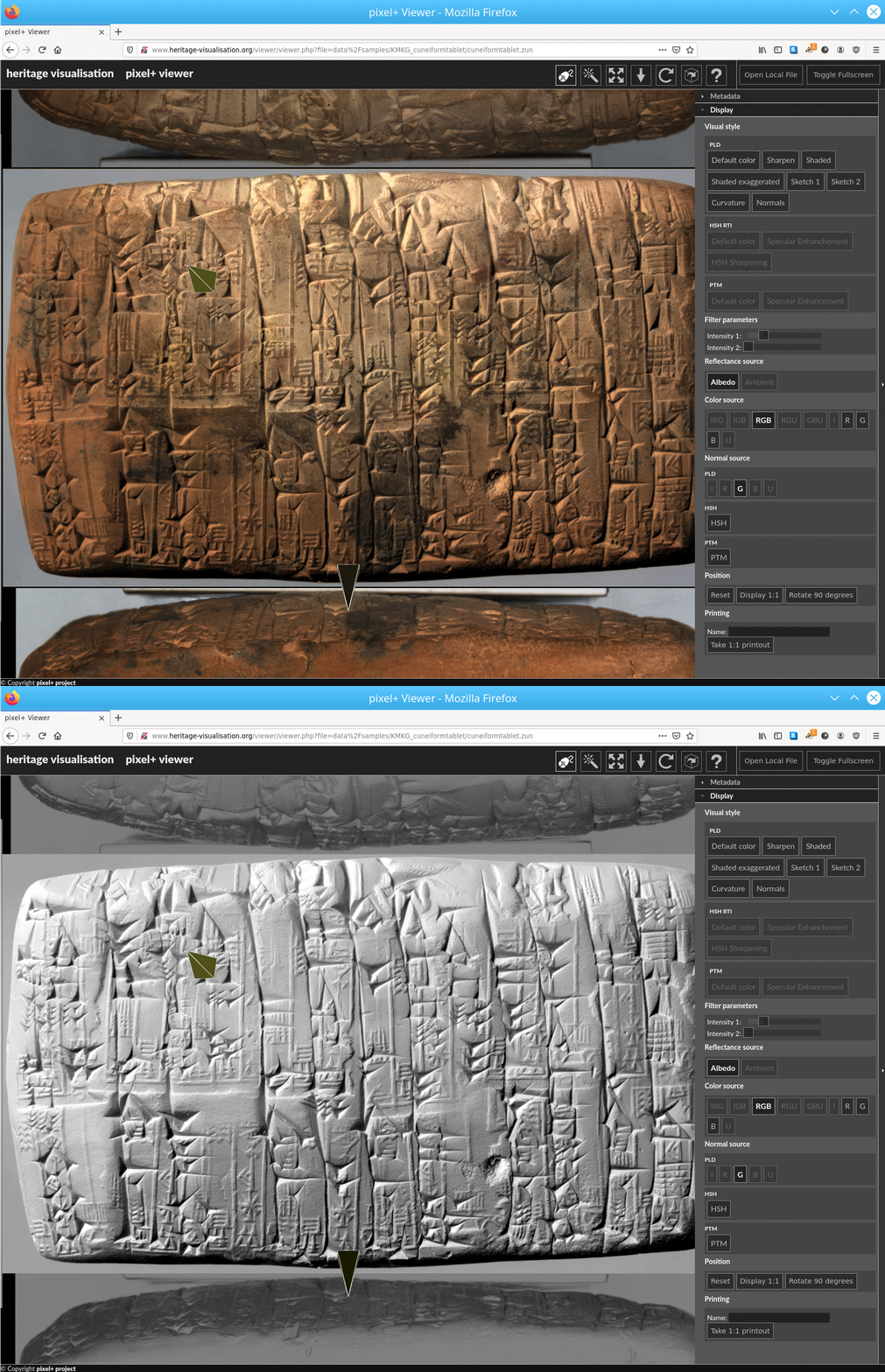
PLD’s Shaded style allows for a more careful study of surface orientation w.r.t. the Default color style.
Necessary input maps
Shaded exaggerated
This visual style is the same as the Shaded style, except that surface orientation is exaggerated w.r.t. the orientation parallel to the camera direction.
Parameters
The direction of the virtual light sources
The brightness of the virtual light sources
Normal source. For white light recordings, a single normal map is calculated. For multi spectral recordings, a normal map per spectral band is calculated.

Alternating view of the Shaded and Shaded Exaggerated style.
Necessary input maps
Sharpen
This visual style is the same as the Color style, except that the color map is sharpened. 2 parameters control the sharpening: Percentage and Size. See also Unsharp masking.
Parameters
The direction of the virtual light sources
The brightness of the virtual light sources
The color source: For white light recordings, this can be an RGB image or each red, green or blue channel separately. For multi spectral recordings, more combinations are possible. E.g. IRG will be displayed as a false color image with the infrared channel as red, the red channel as green and the green channel as blue.
Normal source. For white light recordings, a single normal map is calculated. For multi spectral recordings, a normal map per spectral band is calculated.
Reflectance source: Albedo (see Albedo map) vs. Ambient (see Ambient map)
Percentage
Size
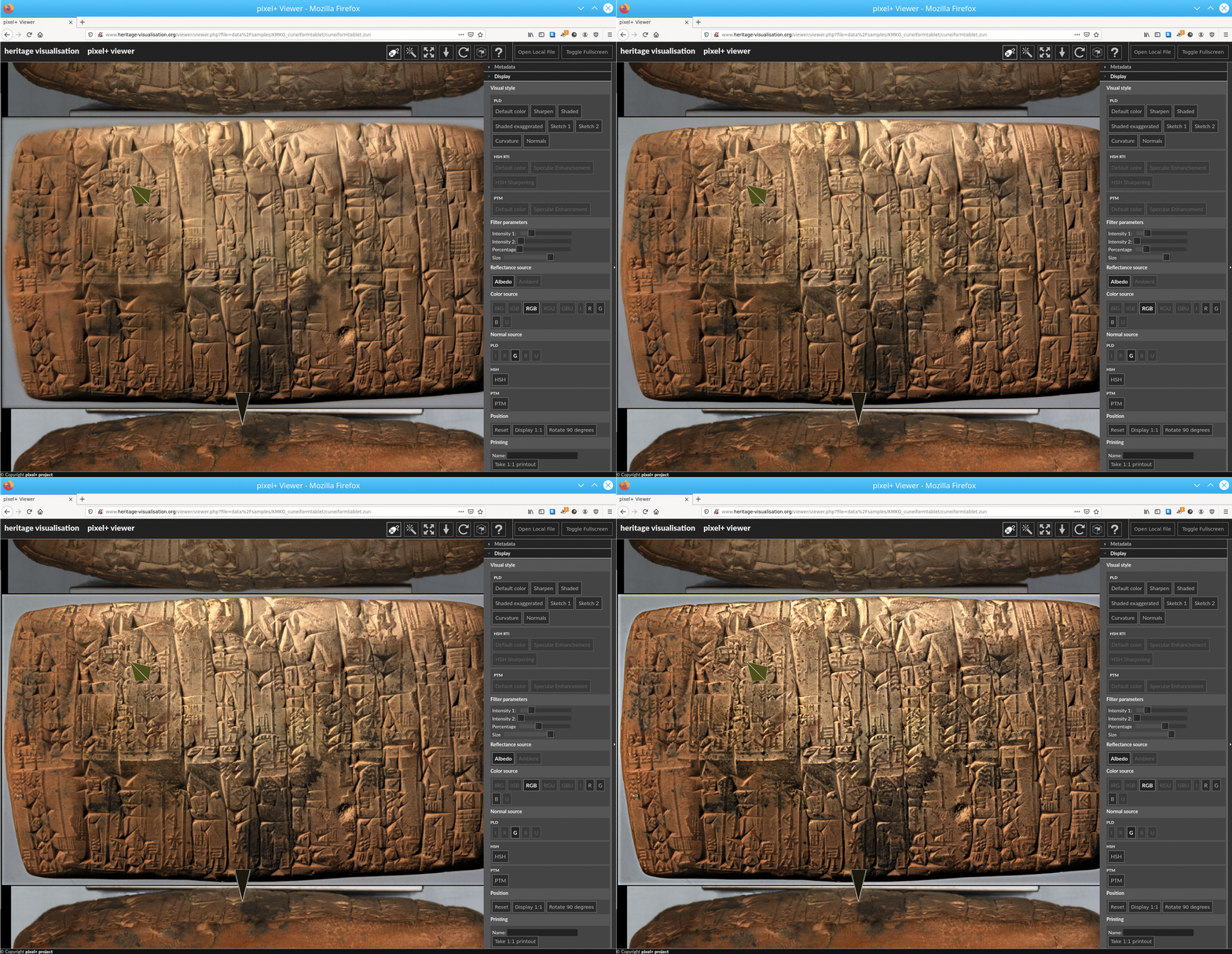
Influence of the Percentage parameter of the Sharpen style
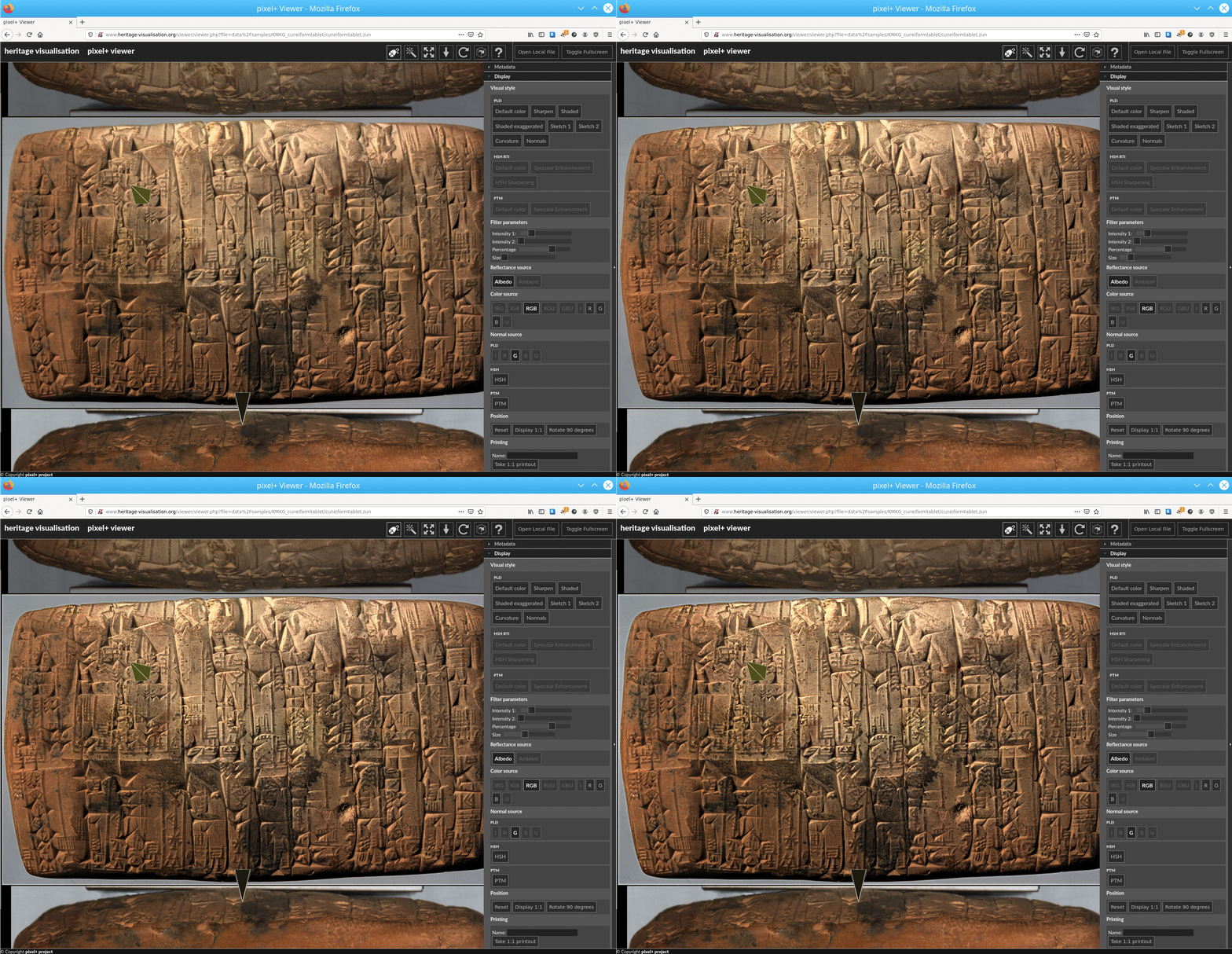
Influence of the Size parameter of the Sharpen style.
Necessary input maps
either an Albedo map or Ambient map
Sketch 1
This visual style is inspired by pencil drawings of objects with local relief like cuneiform tablets. Where the surface direction locally abruptly changes, a black pixel value is set.
Parameters
Normal source. For white light recordings, a single normal map is calculated. For multi spectral recordings, a normal map per spectral band is calculated.
Sensitivity
Thickness
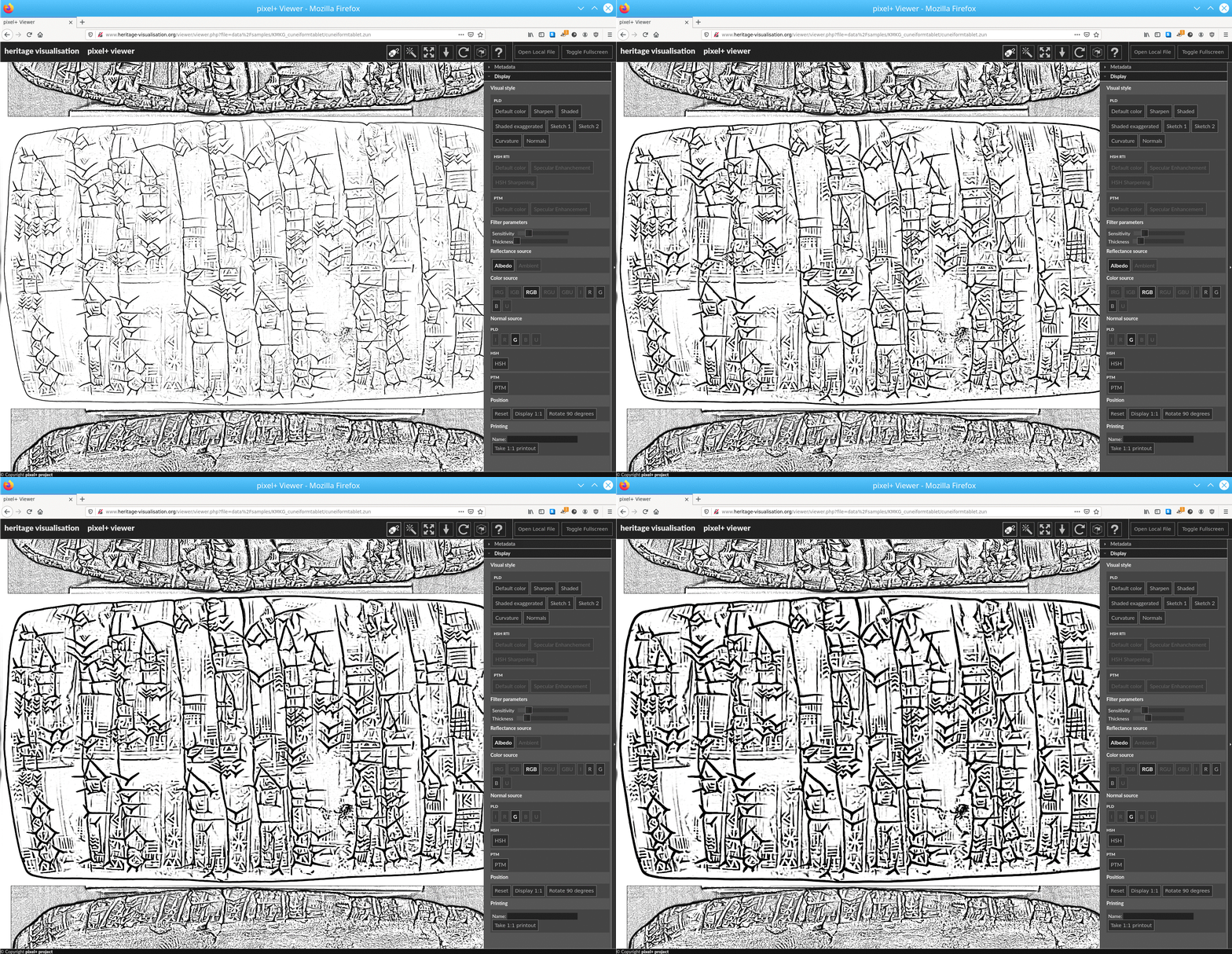
Influence of the Thickness parameter of the Sketch 1 style
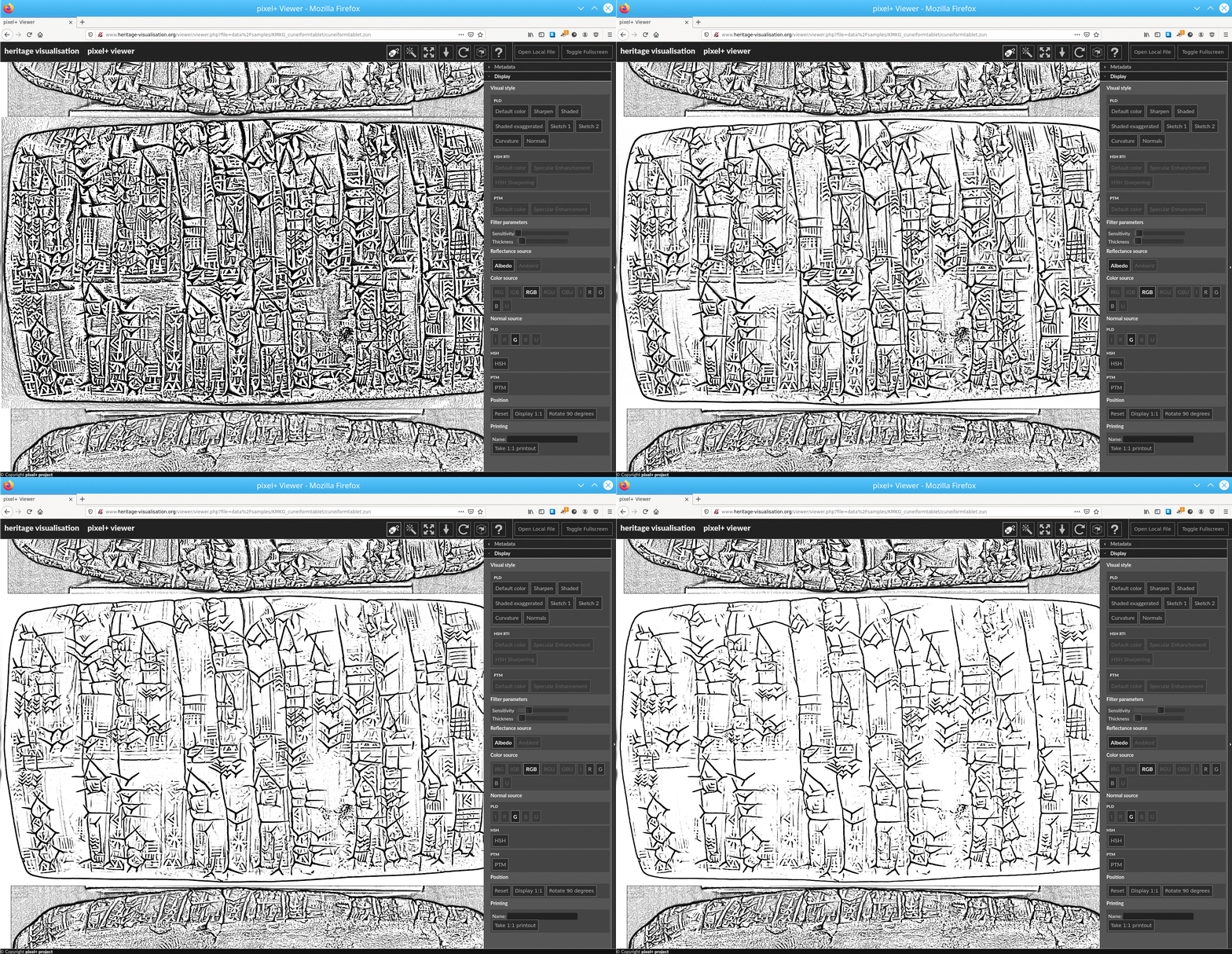
Influence of the Sensitivity parameter of the Sketch 1 style.
Necessary input maps
Sketch 2
Parameters
Normal source. For white light recordings, a single normal map is calculated. For multi spectral recordings, a normal map per spectral band is calculated.
Sensitivity
Thickness
Necessary input maps
either an Albedo map or Ambient map
Curvature
Parameters
Normal source. For white light recordings, a single normal map is calculated. For multi spectral recordings, a normal map per spectral band is calculated.
Intensity
Area
Necessary input maps
Normals
See Normal map.
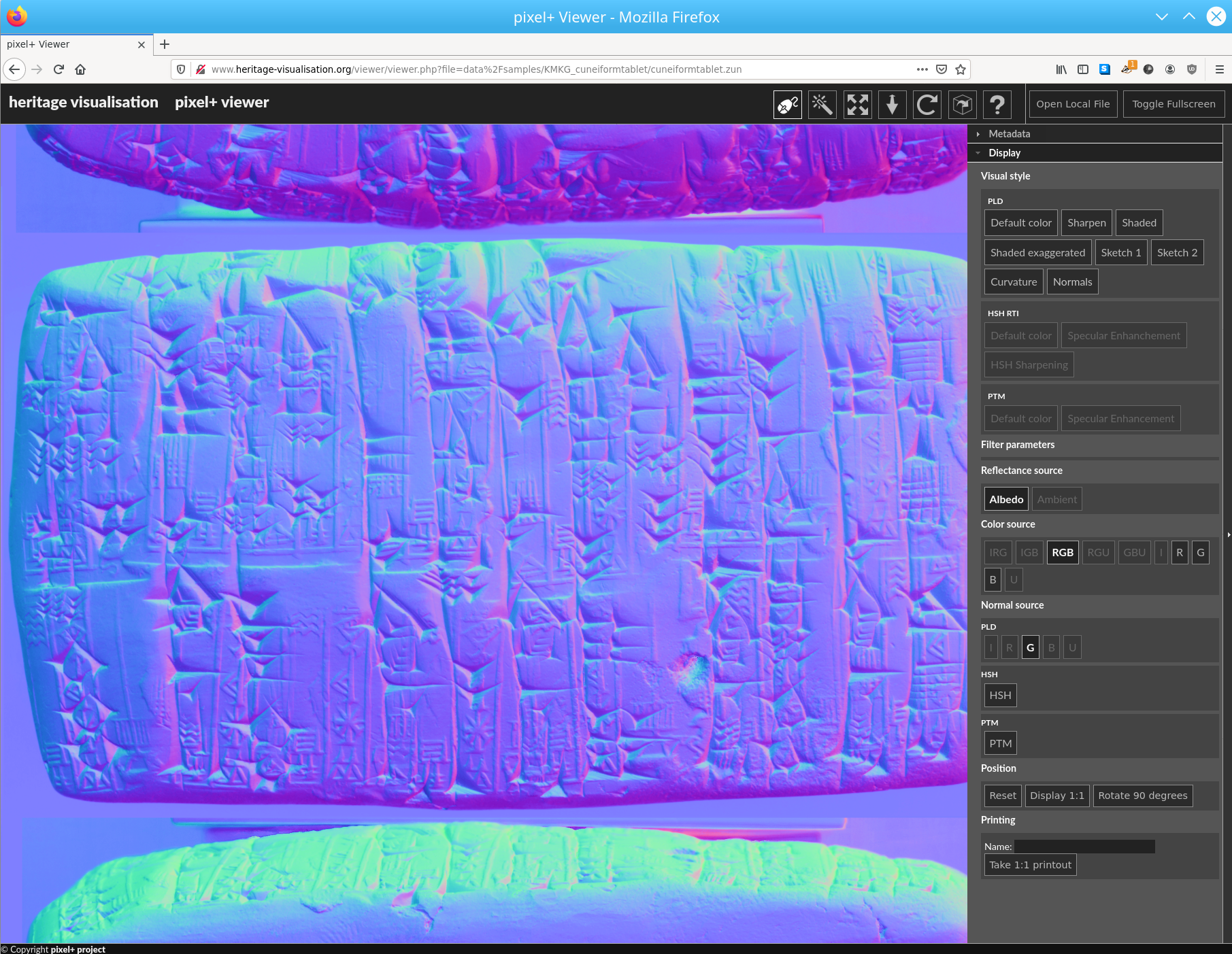
Normal style showing the surface orientation. For more information see Normal map.
Parameters
Normal source. For white light recordings, a single normal map is calculated. For multi spectral recordings, a normal map per spectral band is calculated.
Necessary input maps
HSH RTI
Default color
The Default color style renders the object in a photorealistic way. The level of light-varying detail that is captured depends on the amount of HSH basis functions that is used (which order is chosen during the creation of the HSH RTI file)
Parameters
The direction of the virtual light sources
The brightness of the virtual light sources
Necessary input maps
HSH coefficients encoded either directly in an HSH RTI file or grouped per 3 as image data
Specular enhancement
Sometimes, it is worthwhile to artificially boost the surface detail visibility. The Specular enhancement style achieves this by introducing a specular Phong term in the rendering equation. See also Phong reflection model.
Parameters
The direction of the virtual light sources
The brightness of the virtual light sources
exp: Also sometimes known as alpha or the shininess constant. Increasing this value makes the appearance more mirrorlike - smaller specular highlights.
Ks: The ratio of specular reflection on the incoming light
Kd: The ratio of diffuse reflection on the incoming light
Normal source
Necessary input maps
HSH coefficients encoded either directly in an HSH RTI file or grouped per 3 as image data
Normal map, either calculated from the HSH coefficients or possibly, when using glTF, using another method (e.g. PLD or PTM)
HSH sharpening
The HSH sharpening style is the same as the Default color style, but with the option to sharpen the HSH components. 2 parameters control the sharpening: Percentage and Size. See also Unsharp masking.
Parameters
The direction of the virtual light sources
The brightness of the virtual light sources
Percentage
Size
Necessary input maps
HSH coefficients encoded either directly in an HSH RTI file or grouped per 3 as image data
PTM
Default color
The Default color style renders the object in a photorealistic way. The level of light-varying detail that is captured depends on the order of the polynomial that is used during the creation of the PTM file.
Parameters
The direction of the virtual light sources
The brightness of the virtual light sources
Necessary input maps
PTM basis functions encoded either directly in an HSH RTI file or grouped per 3 as image data
Specular enhancement
Sometimes, it’s worthwhile to artificially boost the surface detail visibility. The Specular enhancement style achieves this by introducing a specular Phong term in the rendering equation. See also Phong reflection model.
Parameters
The direction of the virtual light sources
The brightness of the virtual light sources
exp: Also sometimes known as alpha or the shininess constant. Increasing this value makes the appearance more mirrorlike - smaller specular highlights.
Ks: The ratio of specular reflection on the incoming light
Kd: The ratio of diffuse reflection on the incoming light
Normal source
Necessary input maps
PTM coefficients encoded either directly in a PTM file or grouped per 3 as image data
Normal map, either calculated from the PTM coefficients or possibly, when using glTF, using another method (e.g. PLD or HSH RTI)